Smart Home for Beginners: Where to Start (Without Wasting Money)
New to smart home? This guide explains what smart home devices actually are, which ones to start with, and how to avoid the most common beginner mistakes.
You've heard the term "smart home" a hundred times. Maybe you've seen the ads for voice assistants, or a friend showed off their lights turning on automatically. You're curious — but every time you try to research it, you hit a wall of jargon: Matter, Zigbee, Thread, ecosystems, hubs, protocols.
Here's the truth: you don't need to understand any of that to get started. This guide covers what actually matters when you're just beginning.
What Is a Smart Home, Really?
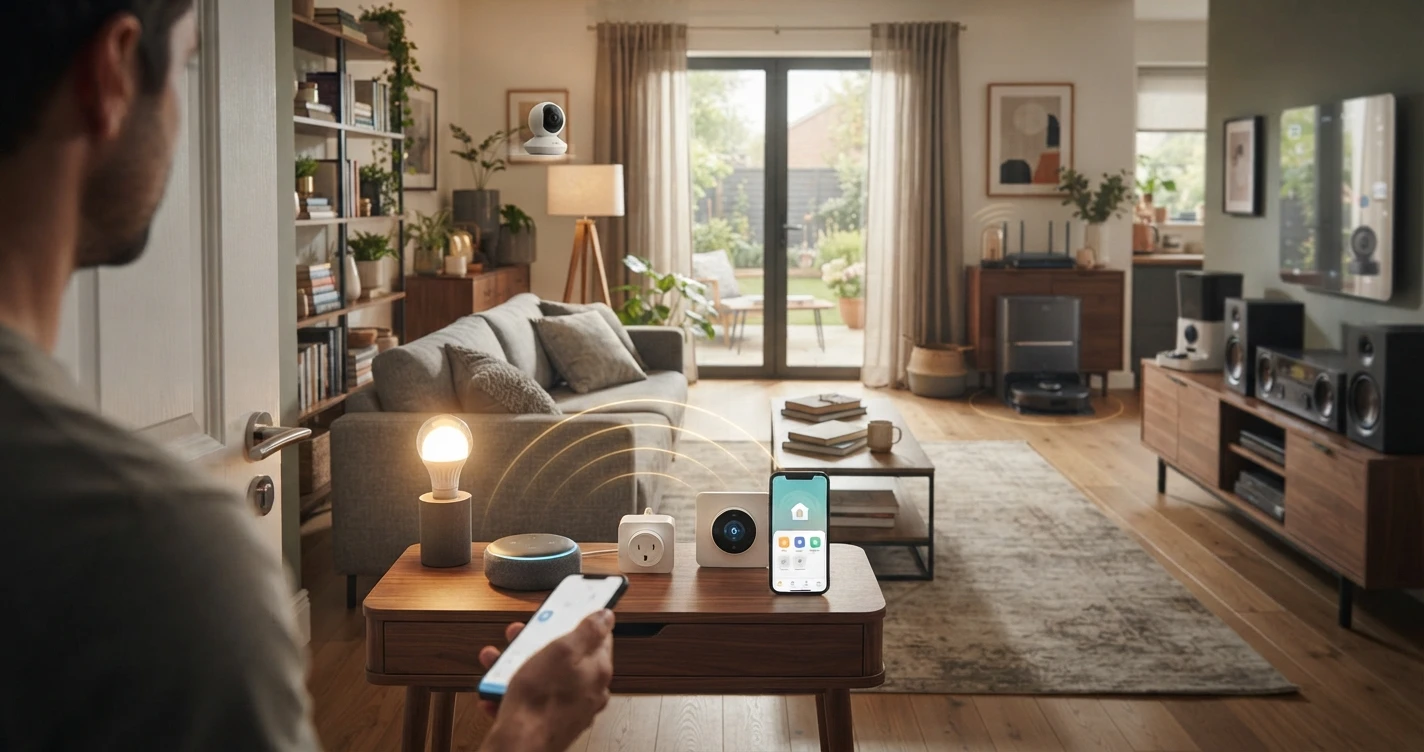
A smart home is just a regular home where some of the devices — lights, locks, thermostats, cameras — can be controlled remotely or automatically.
That's it. No special wiring. No expensive renovation. No technical degree required.
The "smart" part means:
- You can control things from your phone, even when you're not home.
- Devices can respond to voice commands (via a speaker like Amazon Echo or Google Home).
- Things can happen automatically — lights turning on at sunset, for example.
- Devices can work together — a motion sensor triggers a light, or a door sensor sends you a notification.
You don't have to use all of these features. Most people start with one or two things and add more over time.
Three Things to Understand Before You Buy Anything
1. Choose an ecosystem first
An ecosystem is the platform you'll use to control your smart home. Think of it as the command center. The three main options are:
- Amazon Alexa — the most widely compatible option; works with the largest number of devices
- Google Home — a strong choice if you use Android or Google services
- Apple Home (HomeKit) — the best option if you're deep in the Apple ecosystem (iPhone, iPad, Mac)
You don't need a paid subscription for any of them. You do need a compatible smart speaker or display to use voice control, but you can also control everything from your phone.
The practical advice: if you already have an Amazon Echo or a Google Nest speaker sitting around, use that ecosystem. If you don't have anything yet, Alexa has the widest device compatibility, which gives you the most flexibility later.
2. You don't need a hub
Many beginners read about "hubs" and assume they need one. You don't — at least not to start.
Most entry-level smart devices connect directly via Wi-Fi and work without any extra hardware. A hub becomes relevant later if you want to use Zigbee or Z-Wave devices, which have specific advantages (better range, lower power usage) but are more of an intermediate-level topic.
Start with Wi-Fi devices. Keep it simple.
3. Not everything works with everything
This is the part that trips up most beginners. A smart bulb that says "works with Alexa" on the box will not necessarily work with Google Home or Apple Home.
Before you buy any device, check the box or product page for the logo of your ecosystem. If it's not listed, assume it won't work.
There's a newer standard called Matter that's designed to fix this — Matter-certified devices should work across all major ecosystems. It's still rolling out, but if you see the Matter logo on a product, it's a good sign for long-term compatibility.
What Should You Buy First?
The best first smart home device is the one that solves a problem you actually have.
That said, these are the most beginner-friendly starting points:
Smart bulbs
Plug in, screw in, done. You can control them from your phone or by voice. No wiring. No electrician. Brands like Philips Hue, LIFX, and Sengled are popular starting points.
Smart plugs
Turn any regular device (a lamp, a fan, a coffee maker) into something you can control remotely. A smart plug is a $10–25 device that plugs into any wall outlet. It's the easiest possible introduction to home automation.
A smart speaker or display
Not technically required, but if you want voice control — which most people do — you'll need an Amazon Echo, Google Nest, or Apple HomePod. These also act as the hub of your ecosystem and make controlling everything much easier.
A video doorbell
A camera that shows you who's at the door from your phone. Ring and Eufy are popular. This is a great first device because it solves a clear, practical problem: knowing who's at your door without getting up.
Common Beginner Mistakes (and How to Avoid Them)
Buying devices that don't match your ecosystem
The most common — and most frustrating — mistake. Always check compatibility before buying. If a device doesn't list your ecosystem on the box or product page, don't assume it'll work.
Starting with something complicated
Some people decide their first smart home project will be a full security system, a whole-house lighting setup, or a Zigbee mesh network. This usually ends in frustration. Start small. Buy one smart plug and automate one thing. Get comfortable with the process before expanding.
Underestimating Wi-Fi
Smart devices run on your Wi-Fi. If your Wi-Fi is weak in certain rooms, devices in those rooms will be unreliable. Before buying a lot of smart devices, make sure your Wi-Fi covers the areas you care about. A simple mesh system (like Eero or TP-Link Deco) can solve coverage problems cheaply.
Overcomplicating automations too early
Automations — rules like "turn on the porch light at sunset" — are one of the best features of a smart home. But beginners sometimes try to build complex multi-step automations before they understand the basics. Get familiar with manual control first, then add automations gradually.
A Simple First Setup
If you're not sure where to begin, here's a practical starting point that most people find genuinely useful:
- Buy an Amazon Echo Dot (or whatever smart speaker matches your ecosystem preference). This becomes your voice control hub.
- Add one smart plug. Plug a floor lamp into it. Now you can turn that lamp on and off by voice or from your phone. You've just automated something.
- Set up one automation. Use the Alexa app (or Google Home, or Apple Home) to schedule the lamp to turn on at sunset and off at 11pm. Now it happens automatically every day.
Total cost: roughly $30–60. Time to set up: under an hour. That's your smart home. You can stop there, or build from it.
Where to Go From Here
Once you're comfortable with the basics, there are natural next steps depending on what you want to achieve:
- If you care about security: look at smart cameras, video doorbells, and smart locks
- If you want to automate more: explore smart sensors (motion sensors, door/window sensors) and more complex automations
- If you want to save energy: a smart thermostat like the Google Nest or Ecobee is one of the best investments
- If you're renting: focus on devices that don't require installation or wiring — smart plugs, smart bulbs, portable speakers, and wireless cameras
The smart home space evolves quickly, but the basics are stable. Choose an ecosystem, start with something simple, and make sure things are compatible before you buy. Everything else is details.
Frequently Asked Questions
Do I need a hub to start a smart home?
No. Most beginner-friendly smart devices connect directly via Wi-Fi. Hubs are only needed for certain device types (Zigbee, Z-Wave) that you're unlikely to encounter when starting out.
What's the cheapest way to start a smart home?
A smart plug ($10–25) is the easiest and cheapest entry point. Plug it in, download the app, and you've automated your first device. No commitment required.
Does it matter which ecosystem I choose?
Yes, because devices need to match your ecosystem to work together. The good news: all three major ecosystems (Alexa, Google Home, Apple Home) are free to use, and switching later is possible — you'd just need to replace devices that aren't compatible with your new choice.
Will smart home devices work without internet?
It depends on the device. Some Wi-Fi devices lose functionality when your internet is down (especially voice control and remote access). Local control — automations that run within your home network — often continues to work. This varies by brand and product.
Is a smart home safe? Can it be hacked?
Smart devices, like any connected technology, have security considerations. Using strong, unique passwords, keeping devices updated, and buying from reputable brands significantly reduces your risk. The major ecosystems (Amazon, Google, Apple) have security teams dedicated to these products.
What is Matter and should I care about it?
Matter is a newer compatibility standard that allows smart home devices to work across different ecosystems. If you see the Matter logo on a product, it should work with Alexa, Google Home, and Apple Home. It's worth looking for if you want maximum flexibility, but it's not required — there are plenty of well-reviewed devices that predate Matter and work reliably within their ecosystem.
Related Articles
More in this topic
- EXPLAINER What Is Matter? The New Smart Home Standard Explained
- COMPARISON Alexa vs Google Home vs Apple Home: Which Ecosystem Should You Choose?
- HOW TO How to Avoid Smart Home Compatibility Issues
- SOLUTION Best Smart Home Starter Setup
- EXPLAINER Smart Home for Renters: What You Can (and Can't) Do
- EXPLAINER How Smart Home Works