
Smart Home Security Setup: A Complete Guide
How to build a practical smart home security system from front door to indoor monitoring
A complete guide to building a smart home security system — video doorbell, smart lock, cameras, sensors, and automations.
A smart home security setup is not a single product — it is a system where the components work together. A camera sees something, a sensor detects an entry, a smart lock logs who came in, and you get a notification on your phone within seconds. Done well, it is more useful and more reliable than any single device.
This guide walks through how to build a practical smart home security system from scratch, including what to buy, what order to buy it in, and how to connect it.
What a Complete Smart Home Security Setup Covers
- Perimeter alerts: Know when someone enters your property — door sensors, motion sensors, video doorbells.
- Entry control: Control who can enter and have a record of entries — smart locks, keypads.
- Visual monitoring: See what is happening in real time or on replay — indoor and outdoor cameras.
- Automation: Connect the components so they respond automatically — lights that turn on when motion is detected, locks that trigger alerts when opened.
The Core Components
1. Video Doorbell
The video doorbell is typically the first security upgrade and one of the highest-value ones. It covers the most common entry point — the front door — and provides both monitoring and deterrence. Battery-powered doorbells (Ring, Eufy) install in minutes with no existing wiring required.
Recommended: Ring Video Doorbell (battery, ~$100) or Eufy Video Doorbell E340 (dual camera, ~$130 for renters).
2. Smart Lock
A smart lock replaces your deadbolt and lets you lock and unlock remotely, share access with guests without physical keys, and receive alerts when the door is unlocked. Combined with a video doorbell, you can see and control your entry simultaneously.
Recommended: Schlage Encode Plus (~$250, Matter, no hub) or August Wi-Fi Smart Lock (~$180, retrofit, renter-friendly).
3. Door and Window Sensors
Contact sensors on doors and windows alert you the moment they open. They are cheap ($10-$25 each), battery-powered, and wireless. When combined with a smart hub or alarm system, they form the backbone of a perimeter alert system.
Recommended: Samsung SmartThings Multipurpose Sensor, Aqara Door and Window Sensor, or Ring Alarm Contact Sensor (if using Ring ecosystem).
4. Outdoor Security Camera
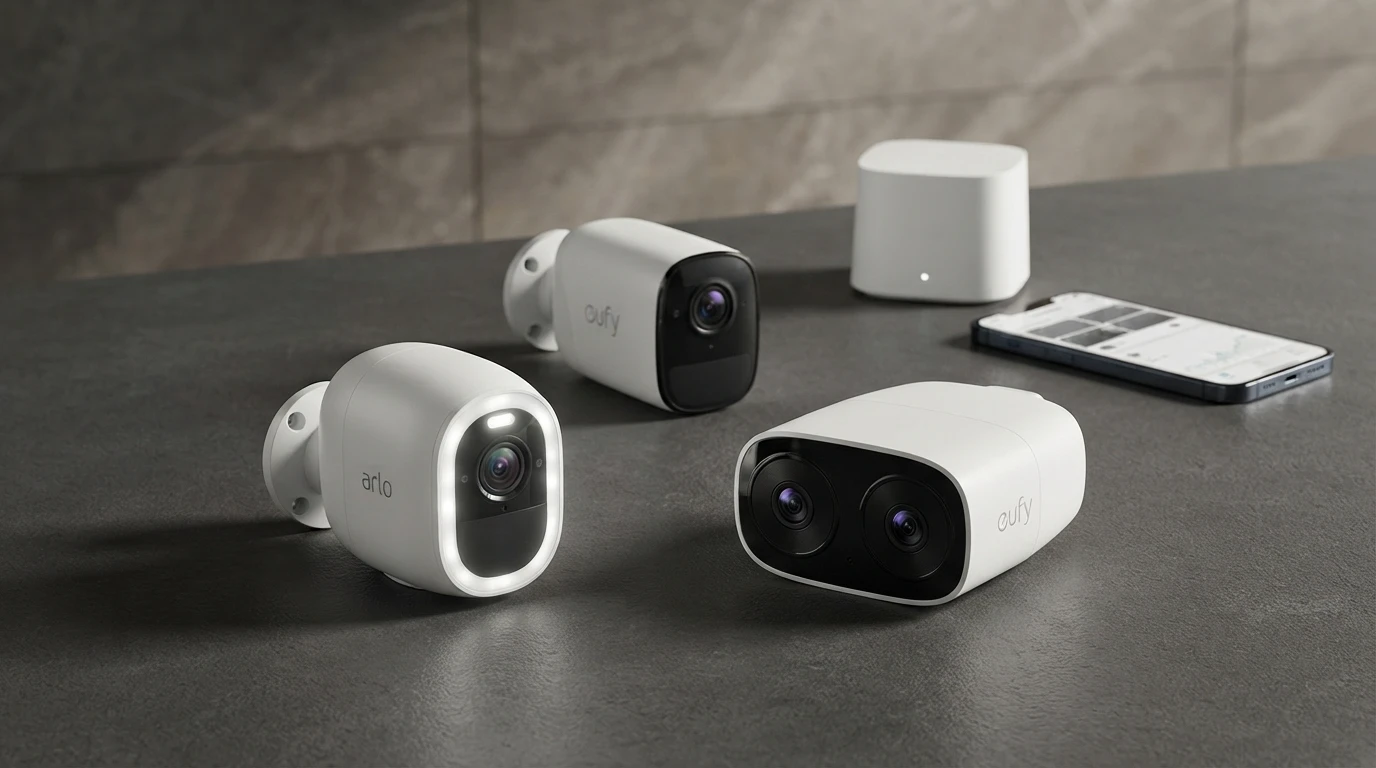
One outdoor camera covering the driveway or main entry adds coverage beyond the front door. Wire-free cameras (Arlo Pro 4, Eufy SoloCam) install without wiring and move with you if you change properties.
Recommended: Eufy SoloCam S340 (~$130, no subscription, dual lens) or Arlo Pro 4 (~$180, wire-free, Apple Home compatible).
5. Indoor Camera
An indoor camera provides evidence and monitoring when you are away. Position it covering the main living area or a hallway for maximum coverage.
Recommended: Wyze Cam v3 (~$35, local storage, no subscription required for basic recording).
6. Motion Sensors
Indoor motion sensors detect movement without visual monitoring — useful in areas where a camera would be intrusive (bedrooms, bathrooms) or as backup alerts. They trigger automations: lights that come on, alarms that sound, notifications that fire.
Recommended: Philips Hue Motion Sensor (if Hue ecosystem) or Aqara Motion Sensor P1 (Zigbee/Matter, works with SmartThings).
How to Connect It All
Option A: Ecosystem-Based (Easiest)
Pick one ecosystem — Amazon Alexa, Google Home, or Apple Home — and buy devices certified for that platform. Connect them through one app. This works well for most people.
Example: All Ring devices (doorbell + cameras + sensors) connect through the Ring app and Alexa. Add an August or Schlage lock for Alexa control. One app, one voice assistant.
Option B: Matter-Based (Most Flexible)
Buy Matter-certified devices. They work with Alexa, Google Home, and Apple Home simultaneously. You are not locked into one platform. This is the better long-term choice but requires newer devices.
Example: Schlage Encode Plus (Matter lock) + Arlo Pro 4 (Apple Home) + Aqara sensors (Matter) — all visible in Apple Home and Alexa simultaneously.
Automations Worth Setting Up
- Motion light automation: Outdoor motion sensor triggers smart plug powering an outdoor light — instant deterrent at night.
- Auto-lock: Smart lock locks automatically 5 minutes after the door closes — no more forgetting.
- Away mode: When you leave home, indoor cameras switch to active recording, sensors arm, and smart plugs cut unnecessary devices.
- Entry notification: Door sensor opens → notification sent to phone within 30 seconds.
Estimated Costs
Starter security setup (~$300): Video doorbell ($100) + smart lock ($150) + 2x door sensors ($40) + indoor camera ($35).
Complete setup (~$700): Add outdoor camera ($130-$180), motion sensors ($40), smart plug for lights ($25), hub if needed ($30).
FAQ
Do I need a central hub or alarm system?
Not necessarily. If all your devices connect to the same ecosystem (Alexa, Google Home, or Apple Home), your phone acts as the hub. A dedicated hub like Samsung SmartThings or Ring Alarm Base adds local processing and an audible siren, which is useful but not required.
What about professional monitoring?
Ring Alarm and SimpliSafe offer optional professional monitoring ($10-$20/month) where a monitoring center responds to alerts. DIY monitoring (you get the notification, you call the police) has no monthly cost and is what most people use. Professional monitoring is a useful addition if you travel frequently.
Does a smart lock make my home less secure?
Quality smart locks from Schlage and Yale carry ANSI Grade 1 ratings — the same physical security standard as the best non-smart deadbolts. The smart features add security considerations (firmware updates matter, choose strong access codes) but do not reduce physical security if you buy from established manufacturers.
Related Articles


More in this topic
- Best HomeKit Security Cameras (Apple Home)
- COMPARISON Arlo vs Eufy Security Cameras: Which Is Better?
- Best Indoor Security Cameras (2024-2025)
- EXPLAINER Security Camera Subscriptions Explained
- Best Home Security Cameras (2024-2025)
- Best Security Cameras Without a Subscription
- Home Security Camera Buying Guide