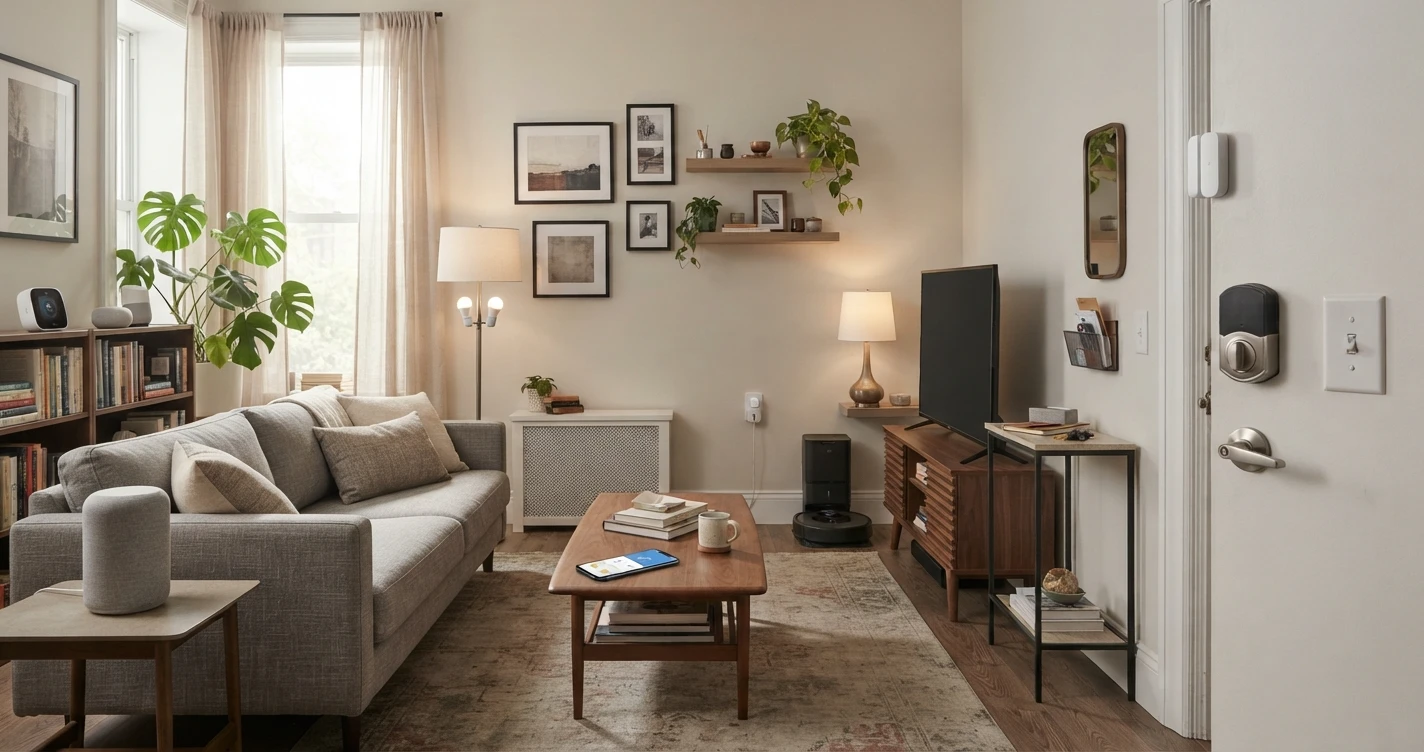
Smart Home for Renters: What You Can (and Can't) Do
Renting doesn't mean you can't have a smart home. Here's what you can install without permission, what needs landlord approval, and what to skip entirely.
Renting creates real constraints for smart home upgrades. You can't make permanent modifications, you may not be able to change hardware on doors or switches, and anything you install has to come out when you leave — ideally without a trace.
But renters can still build a genuinely useful smart home. The key is knowing which devices need no installation at all, which ones need a landlord conversation, and which are simply not worth the trouble in a rental.
No permission needed: devices that require zero installation
These devices plug in, screw in, or sit on a surface. They leave no marks, require no tools, and can be packed up when you move.
Smart plugs
Plug into any standard outlet. Control any device you plug into them. No installation, no marks, no landlord conversation needed. Smart plugs are the most renter-friendly smart home device — they're also one of the most immediately useful.
Use them for lamps, fans, coffee makers, air purifiers, and any other plug-in device you want to schedule or control remotely.
Smart bulbs
Screw into standard light sockets. Remove when you leave, put the original bulbs back in. No tools required.
The main limitation: smart bulbs work best when the wall switch is always left on. If someone turns off the switch, the bulb loses power and can't be controlled until the switch is back on. In a rental where you can't replace switches, this is a manageable trade-off — just leave the switch on and control the bulb through the app or voice commands.
Smart speakers and displays
Sit on a shelf or countertop, plug into any outlet. Amazon Echo, Google Nest, and HomePod devices require no installation. These serve as your voice controller and ecosystem hub.
Indoor security cameras
Most indoor cameras sit on a surface — a shelf, a desk, a windowsill — and don't require wall mounting. Battery-powered indoor cameras can be placed anywhere with no cords at all.
Check your lease about cameras in shared spaces and be aware of applicable privacy laws regarding recording in your home. In general, monitoring your own unit with cameras that face inward is legally unproblematic, but verify this for your specific jurisdiction.
Smart sensors
Temperature, humidity, motion, and contact sensors are often battery-powered and small. Adhesive mounts (included with many sensors) don't damage walls and peel off cleanly. These sensors can trigger automations: "If the door opens after 10 PM, turn on the hallway light."
Portable smart devices
Robot vacuums, smart air purifiers, smart humidifiers, smart feeders for pets — none of these require any installation. They sit on the floor or a surface, connect to Wi-Fi, and move with you when you leave.
Low-impact installation: ask first, but usually fine
These devices involve minor installation — typically a screw or two, or replacing an existing piece of hardware — that's reversible and leaves minimal or no evidence when removed.
Video doorbells
The rental-appropriate approach depends on the type:
Wired video doorbells replace your existing doorbell button and use your existing wiring. This requires removing the original doorbell and connecting wires — technically a modification. Many landlords are fine with this when you commit to restoring the original, but ask first.
Battery-powered video doorbells (like the Ring Video Doorbell, no-drill version) can be mounted in different ways. Some use an existing screw hole, some use adhesive or a wedge bracket. The no-drill approach avoids any wall damage and is generally acceptable in rentals, though it depends on the specific mounting situation.
If your door frame has no existing doorbell, a battery-powered doorbell on a removable adhesive mount is the most renter-friendly option.
Smart light switches (with landlord permission)
Smart switches replace your existing wall switches and require touching your home's electrical wiring — even just disconnecting and reconnecting wires. This is a modification that needs landlord permission.
The case for asking: smart switches are more permanent than smart bulbs (they control all lights on a circuit, not just one socket), and you can restore the original switches when you leave. If your landlord is reasonable, many will agree when you explain you'll restore the original hardware.
If you can't get permission, smart bulbs plus smart plugs accomplish most of what a switch would, without touching wiring.
Needs landlord approval (or skip entirely)
Smart locks
Smart locks replace your existing deadbolt and require physical modification to the door hardware. This is the category where landlord permission is most clearly required.
Some smart locks are designed to be renter-friendly: they attach to the interior side of the existing deadbolt (like the August Smart Lock or Wyze Lock Bolt) without replacing the full lock mechanism. These don't require new holes in the door, and some require no tools at all — they're renter-friendly by design. However, this type of lock still adds hardware to the door, which most landlords consider a modification.
Ask before installing any smart lock. If your landlord agrees: keep the original lock hardware, document the original setup with photos, and restore it before you leave.
If your landlord won't agree: a video doorbell (so you can see who's there) combined with a contact sensor on the door (to alert you when it opens) provides some of the security benefit without modifying the lock.
Hardwired outdoor security cameras
Cameras that require drilling into exterior walls or connecting to your home's electrical system need landlord permission. Battery-powered outdoor cameras (mounted temporarily with screws in the eaves or fence, and fully removable) are more renter-friendly, but exterior installation still often requires a conversation with your landlord.
Smart thermostats
Smart thermostats replace your existing thermostat — a modification that affects the HVAC system. Most landlords prefer to keep control of the thermostat themselves, both for liability reasons and because changing thermostat settings can affect heating and cooling costs in buildings with shared systems.
In units where you pay your own utilities, some landlords will agree to a smart thermostat installation if you offer to restore the original when you leave. Keep the original thermostat safely stored.
If permission isn't possible: a smart plug on a portable space heater or fan provides some level of climate automation without touching the central system.
Putting together a renter-friendly setup
A practical starting point that requires zero landlord permission:
- Smart speaker (Amazon Echo Dot or Google Nest Mini) — voice control hub
- 2–4 smart bulbs — in your living room and bedroom
- 1–2 smart plugs — for a lamp, fan, or coffee maker
- 1 indoor camera — for monitoring when you're away (optional)
With landlord permission, add:
- Battery-powered video doorbell (no-drill installation)
- Interior smart lock add-on (August, Wyze, or similar)
This setup is fully functional, immediately useful, and leaves no trace when you move. The more-permanent additions are worth the landlord conversation if your lease allows it.
When you move: taking your smart home with you
One of the advantages of renter-friendly smart home devices is portability. Smart plugs, bulbs, speakers, cameras, and sensors pack into boxes like any other belongings. Your ecosystem account (Alexa, Google Home, Apple Home) moves with you — you reconnect devices in the new place and most automations work immediately.
If you installed anything that required landlord permission — a smart lock, a video doorbell, a smart switch — restore the originals before leaving. Keep original hardware in labeled bags when you unbox new devices, so you have it ready when you move out.
Frequently asked questions
Can I install a smart lock without telling my landlord?
Technically possible, but not advisable. Adding or modifying door hardware is a modification to the landlord's property. Depending on your lease and local law, unauthorized modifications can result in deposit deductions or, in extreme cases, lease violations. Interior-only smart lock adapters (that don't replace the external hardware) are less invasive, but still add hardware to the door. The safest approach is to ask.
Do smart bulbs damage light fixtures?
No. Smart bulbs are standard bulb formats (typically E26 base in the US, the same as any regular bulb). They screw in and out exactly like any other bulb and cause no damage to fixtures. When you leave, swap the originals back in.
Can I use a smart thermostat in a rental?
Only with landlord permission, and only if your unit has its own heating/cooling system (not shared building systems). In buildings with shared HVAC, smart thermostat installation may not be possible or appropriate regardless of permission.
What should I do if my landlord says no?
Work within the constraint. Smart plugs, smart bulbs, portable cameras, and sensors solve the majority of practical smart home needs without any installation. If the specific thing you want requires landlord permission and they've declined, look for the no-installation alternative: a battery-powered camera on a shelf instead of a wired outdoor camera, smart bulbs instead of smart switches, and so on.
Are there smart home devices specifically designed for renters?
Some brands market products toward renters. August and Wyze make smart lock adapters that attach to the interior of an existing deadbolt without replacing the lock mechanism — they're explicitly designed to be less invasive than full smart lock replacements. Ring's no-drill doorbell bracket is similarly designed with renters in mind. Look for products that explicitly state "no permanent installation" or "renter-friendly" in their marketing.
Related Articles
More in this topic
- EXPLAINER What Is Matter? The New Smart Home Standard Explained
- COMPARISON Alexa vs Google Home vs Apple Home: Which Ecosystem Should You Choose?
- HOW TO How to Avoid Smart Home Compatibility Issues
- SOLUTION Best Smart Home Starter Setup
- EXPLAINER How Smart Home Works
- EXPLAINER Smart Home for Beginners: Where to Start (Without Wasting Money)