Energy Saving Smart Home Setup: Devices That Actually Cut Your Bill
Smart home devices that actually reduce energy use. Thermostats, smart plugs, energy monitors — with recommendations and realistic savings estimates.
The Right Order: Start with the Thermostat
If you have a forced-air HVAC system (most US homes do), a smart thermostat is the single highest-impact device for energy savings. Heating and cooling typically account for 40–50% of a home's energy bill. Start here before anything else.
Before buying: Check whether your current thermostat has a C-wire (common wire). Most smart thermostats require it. Open your thermostat cover and look for a wire connected to the terminal labeled "C." If there's no C-wire, the Ecobee comes with a Power Extender Kit (PEK) that works around this — the Nest Learning Thermostat does not and may have issues in homes without a C-wire.
Recommended Devices
Smart Thermostat — The Core Device
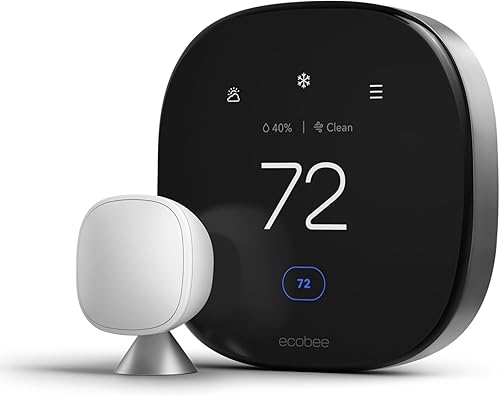
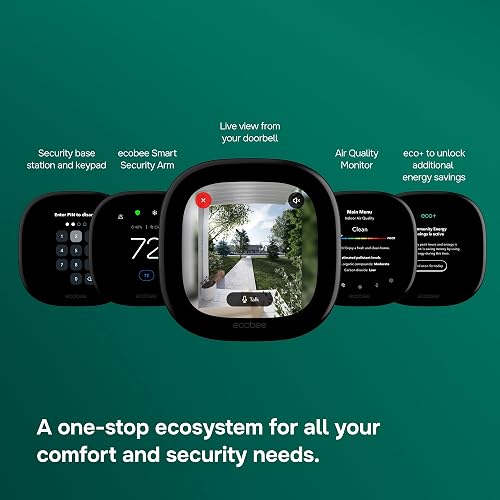
Best Overall: Ecobee SmartThermostat Premium ~$220–$250
- Works with Alexa, Google Home, Apple Home, and SmartThings
- Includes a remote room sensor (measures temperature in another room, not just at the thermostat)
- Has a built-in Alexa speaker
- Works without a C-wire via the included Power Extender Kit
- Temperature range alerts (notifies you if the home exceeds a set temperature — useful if HVAC fails while you're away)
- Check on Amazon
Premium Option: Google Nest Learning Thermostat ~$280
- Learns your schedule over 1–2 weeks and adjusts automatically
- Home/Away assist based on phone location
- Works with Alexa and Google Home natively; Apple Home via Matter (check current compatibility)
- Requires C-wire in most installations
- Check on Amazon
Budget Option: Google Nest Thermostat E ~$130
- Simpler design, fewer features than the Learning Thermostat
- Works with Google Home and Alexa
- Good for a secondary zone or smaller homes
- Check on Amazon
Smart Plugs with Energy Monitoring
A smart plug with energy monitoring shows you how much electricity each appliance is using — and lets you cut power on a schedule or remotely. Most useful for devices that draw standby power (TVs, game consoles, desktop computers, coffee makers).
Best Overall: Kasa Smart Plug with Energy Monitoring (EP25) ~$15–$20
- Real-time energy monitoring via the Kasa app
- Works with Alexa and Google Home
- Compact design — doesn't block the second outlet
- Schedule on/off times from the app
- Check on Amazon
Apple Home Option: Eve Energy Smart Plug ~$40
- Native HomeKit support (no hub required)
- Energy monitoring visible in the Apple Home app
- Matter-compatible
- Check on Amazon
Smart Power Strip with Individual Outlet Control
A smart power strip lets you control each outlet independently — useful for home office setups or entertainment centers with multiple devices drawing standby power.
Recommended: Kasa Smart Plug Power Strip (HS300)
- 6 individually controlled smart outlets + 3 USB ports
- Energy monitoring for connected devices (in the Kasa app) and surge protection
- Works with Alexa and Google Home
- Schedule each outlet independently
- Check on Amazon
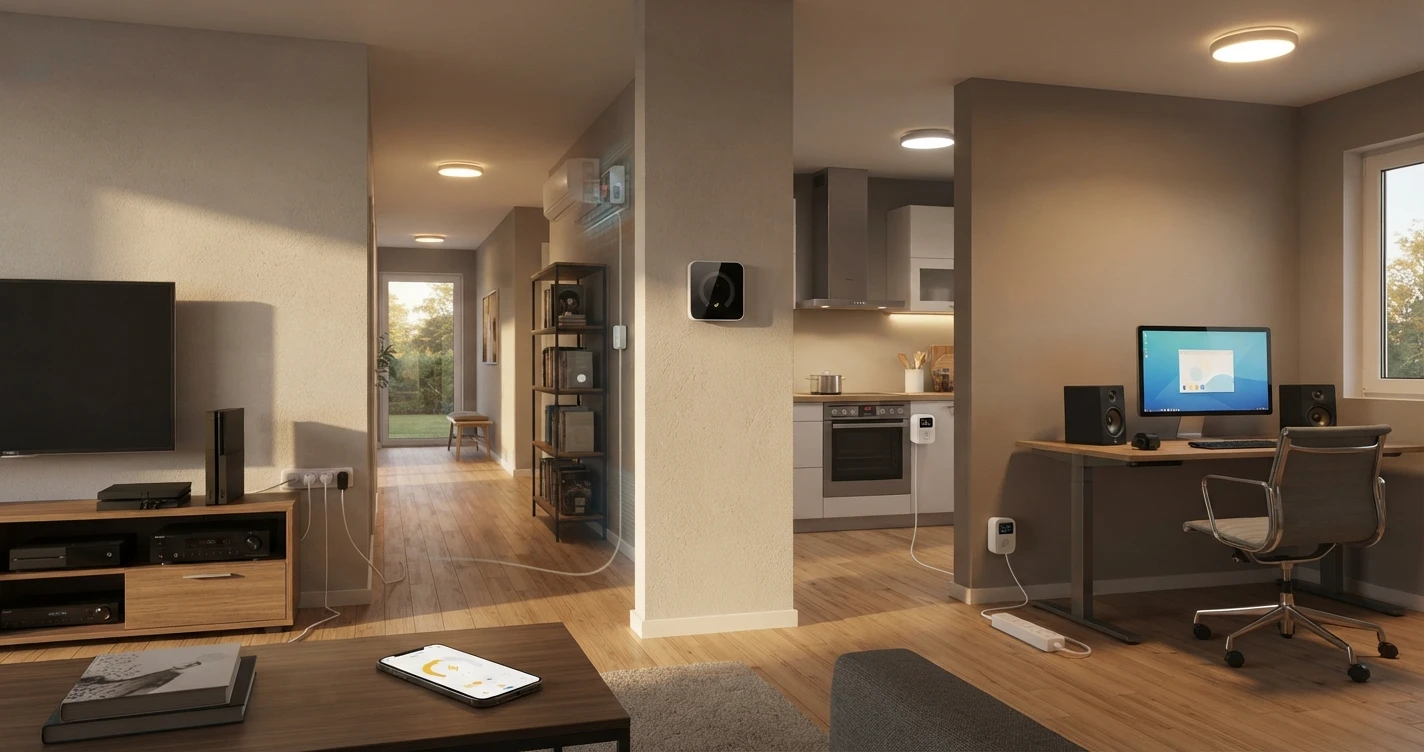
Where to use it: Home office (monitor, desktop, speakers — off when you're not working), entertainment center (TV, game console, receiver — cuts standby power overnight).
Smart LED Bulbs — If You Haven't Switched Yet
If your home still has incandescent or CFL bulbs in heavily used fixtures, switching to LED is one of the fastest payback upgrades available — smart or otherwise. If you're adding smart lighting anyway, smart LED bulbs cover both.
- Kasa Smart LED Bulb ~$10–$15/bulb — works with Alexa and Google Home, no hub needed
- Wyze Bulb Color ~$10/bulb — color and dimming at an affordable price
See the full Smart Lighting Setup guide for a complete room-by-room breakdown.
Energy-Saving Automations
The devices above save energy on their own — but automations make them work without any input from you.
- Auto away — thermostat: When everyone leaves home (detected via phone), thermostat switches to an energy-saving temperature (76°F in summer, 65°F in winter). Returns to comfort temperature 30 minutes before expected arrival. Both Nest and Ecobee have this built in.
- Standby power off at night: Smart power strip controlling the TV and entertainment center turns off at midnight. Standby draw on a TV + game console + receiver can be 20–40W continuously.
- Office hours only: Smart power strip on the home office desk turns on at 8am and off at 7pm. Everything plugged in only draws power during working hours.
- Lights out when empty: Smart plugs powering lamps turn off when no motion is detected in a room for 30 minutes (requires a motion sensor or a compatible ecosystem like Alexa Routines with Echo devices).
- Energy alert: Smart plug notifies you if a specific device uses more than a set wattage — useful for detecting if an appliance is running when it shouldn't be.
Setup Cost by Tier
| Tier | What's Included | ~Cost |
|---|---|---|
| Essential | Smart thermostat (Nest E) + 2 Kasa energy monitoring plugs | ~$160–$170 |
| Standard | Ecobee Premium thermostat + 3 Kasa plugs + 1 Kasa power strip | ~$310–$340 |
| Complete | Ecobee + Nest room sensors + 4 plugs + power strip + smart LED bulbs for main rooms | ~$380–$500 |
Expected savings: A smart thermostat alone typically saves 10–15% on heating and cooling costs according to manufacturer estimates. Actual savings depend on your current habits, HVAC system, and home insulation — results vary significantly. Smart plugs on standby-heavy devices typically save $20–$50/year, less in smaller homes.
Frequently Asked Questions
Does my thermostat have a C-wire?
Open your thermostat cover and look for a wire connected to the terminal labeled "C." If a wire is connected there, you have a C-wire. If not, choose the Ecobee — its included Power Extender Kit works without one. Do not buy the Nest Learning Thermostat if you don't have a C-wire without first verifying it will work with your specific HVAC system.
Do smart plugs actually save meaningful energy?
For devices with significant standby draw — older TVs, game consoles, desktop PCs, AV receivers — yes. For devices with minimal standby draw (phone chargers, modern laptops), the savings are negligible. Use the energy monitoring feature to measure each device's actual draw before deciding whether automation is worth it.
Can I control the thermostat if Wi-Fi goes down?
Yes. Both Nest and Ecobee have physical controls on the device itself — you can adjust the temperature manually even without internet. Automations and remote access require connectivity, but basic heating and cooling function continues locally.
What's the payback period on a smart thermostat?
At an average US energy cost and assuming 10% savings on a $150/month heating and cooling bill, a $220 Ecobee could pay for itself in roughly 12–18 months. Higher energy costs, older HVAC systems, and less careful manual thermostat habits generally improve payback time. Lower bills or already-efficient habits lengthen it.
Related Guides
Where to Buy



Affiliate links — we may earn a commission at no extra cost to you.