Smart Lighting Setup: How to Light Your Home the Smart Way
Set up smart lighting in your home from scratch. Smart bulbs vs switches, ecosystems, scenes, and automation — a practical guide with product recommendations.
Smart Bulbs vs Smart Switches: Which Should You Choose?
This is the first decision to make before buying anything. The two approaches work very differently.
Smart Bulbs
The intelligence is in the bulb itself. You replace individual bulbs with smart versions, and the existing switch must stay permanently on — turning it off cuts power and breaks app and voice control.
- Best for: Renters, table lamps, floor lamps, fixtures where you want color or dimming effects
- Advantage: Easy to install, no wiring involved, works in any fixture
- Disadvantage: Anyone who flips the switch off leaves you without smart control until it's turned back on
Smart Switches
Replace the wall switch itself. Works with any regular bulbs — including your existing ones. The switch controls the circuit, so it works even if Wi-Fi is down.
- Best for: Homeowners, ceiling lights, households where multiple people use the switches
- Requires: A neutral wire in the wall (most homes built after ~1980 have one — remove the switch cover and look for a white wire connected to the switch before buying)
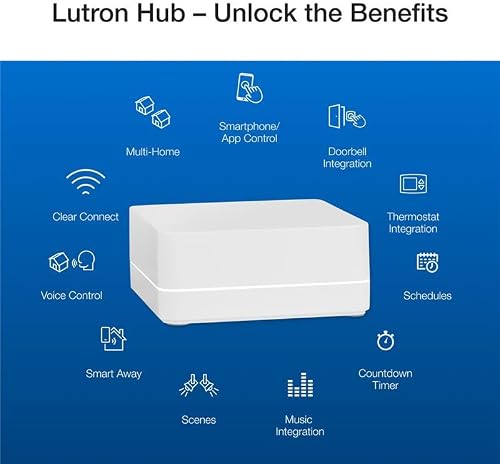
- No neutral wire? Use a no-neutral switch like Lutron Caseta
Best approach for most homes: use both
Smart switches for ceiling lights and main overhead fixtures. Smart bulbs for lamps, accent lighting, and anywhere you want color effects. This combination covers all scenarios without compromise.
Starter Setup by Room
Living Room (~$60–$150)
For the ceiling light — smart switch (recommended):
Kasa Smart Wi-Fi Dimmer Switch ~$20–$25 — works with Alexa and Google Home, no hub required, controls existing bulbs.
For floor or table lamps — smart bulbs:
Wyze Bulb Color (2-pack) ~$20 — Alexa and Google Home compatible.
Or Philips Hue White A19 Starter Kit ~$60 — the most reliable ecosystem, requires the Hue Bridge hub.
Bedroom (~$30–$80)
Smart bulbs for bedside lamps work well here. A wind-down automation (lights dim to warm white at 9pm) makes smart bulbs especially useful in the bedroom.
- Wyze Bulb Color ~$10/bulb — color and dimming, works with Alexa and Google Home
- Kasa Smart Bulb ~$10–$15/bulb — reliable, wide compatibility, no hub required
Kitchen and Hallway (~$25–$50)
A smart switch is the better choice here — no bulb replacement needed, works with existing ceiling fixtures including fluorescents (verify dimmer compatibility if using fluorescent tubes).
Kasa Smart Switch (HS200) ~$15–$20 — non-dimmer, works with Alexa and Google Home.
Outdoor (~$30–$60)
A smart outdoor plug is the simplest solution: plugs into your existing exterior outlet and controls any outdoor fixture that's plugged in.
Kasa Smart Outdoor Plug ~$25–$30 — dual outlet, schedule-based control, works with Alexa and Google Home.
Which Ecosystem Path to Follow
Alexa Users
Best picks: Kasa (TP-Link) switches and bulbs. Native Alexa integration, no hub required, affordable, reliable. Most Kasa products are under $25 and install in minutes.
Google Home Users
Best picks: Kasa or Wyze. Both integrate natively with Google Home without a hub. Wyze bulbs offer color at a lower price; Kasa switches are the go-to for wall switch replacements.
Apple Home (HomeKit) Users
Best picks: Philips Hue (with the Hue Bridge) — the most complete and reliable HomeKit lighting system. For switches, Lutron Caseta is the most dependable HomeKit switch on the market.
Important: most budget bulbs (Wyze, Govee, Kasa) do not support Apple Home natively. Verify HomeKit compatibility on the product page before purchasing.
Multiple Ecosystems (Alexa + Google + Apple)
Best picks: Philips Hue (compatible with all three ecosystems via the Hue Bridge) or any Matter-certified bulb or switch (look for the Matter logo — availability has expanded significantly in 2024–2025).
Complete Home Lighting Setup
A 3-bedroom home fully covered with smart lighting — mix of switches and bulbs — typically runs $170–$250 using Kasa and Wyze products.
| Room | Device | Qty | ~Cost |
|---|---|---|---|
| Living room ceiling | Kasa Dimmer Switch | 1–2 | ~$40 |
| Living room lamp | Wyze Bulb Color | 2 | ~$20 |
| Bedroom 1 | Wyze Bulb Color ×2 | 2 | ~$20 |
| Bedroom 2 | Kasa Smart Bulb ×2 | 2 | ~$25 |
| Kitchen | Kasa Smart Switch | 1 | ~$18 |
| Hallway | Kasa Smart Switch | 1 | ~$18 |
| Outdoor | Kasa Smart Outdoor Plug | 1 | ~$28 |
| Total | ~$170–$250 |
Upgrading to Philips Hue throughout will cost $350–$500 but provides the best ecosystem compatibility, reliability, and color quality.
Automations Worth Setting Up
These are the automations that get daily use in smart lighting setups.
- Good morning: Bedroom lamp turns on to 30% warm white at your wake time — gentler than an alarm, especially in winter.
- Wind down: All lights dim and shift to warm white at 8–9pm. Helps signal the body it's time to sleep.
- Away mode: All lights off when the last person leaves home (triggered by phone presence detection). Requires Alexa, Google Home, or Apple Home to be set up.
- Arrival: Living room lights turn on at arrival after dark — your home is lit when you walk in.
- Sunset: Outdoor lights turn on automatically at local sunset, off at sunrise or a scheduled time.
- Motion at night: Hallway or staircase light turns on when motion is detected between midnight and 6am, turns off after 2 minutes. Useful for households with children or for navigating at night without disturbing others.
Scenes Worth Creating
Scenes set multiple lights at once to a specific combination. Name them clearly so voice commands are intuitive ("Alexa, set Movie mode").
- Movie: Living room dim to 20%, warm color, kitchen lights off
- Dinner: Dining area at 60% warm white, kitchen at 80%
- Reading: Living room lamp at 100% cool white
- Sleep: All lights off — or bedroom at 1% very warm orange-white
- Away: All lights off
Frequently Asked Questions
Do smart bulbs work without Wi-Fi?
Most Wi-Fi bulbs can still be controlled manually via the physical switch (if left on), but lose app control, voice control, and automations without an internet connection. Zigbee bulbs like Philips Hue use a local hub and retain local control without internet — only remote access requires connectivity.
Can I use a smart bulb with a smart switch?
Technically yes, but generally not recommended. If the switch cuts power to the bulb, the bulb loses its smart functionality. Use one or the other per circuit. Exceptions exist — some Lutron and Philips Hue switches are designed to send commands without cutting the power circuit, preserving bulb functionality.
What is a neutral wire and do I have one?
A neutral wire (usually white) provides the return path for electrical current. Most smart switches require it. Turn off the breaker, remove the switch cover, and look for a white wire connected to the switch. If none is present (common in homes built before ~1980), use a no-neutral switch like Lutron Caseta, which doesn't require a neutral wire.
Do I need a hub?
Most Wi-Fi bulbs and switches don't require a separate hub — they connect directly to your home Wi-Fi. Zigbee-based systems like Philips Hue require a hub (the Hue Bridge, usually included in starter kits). Matter devices may work without a hub via the platform's native Matter support. Check the product page before buying.
Related Guides
Where to Buy




Affiliate links — we may earn a commission at no extra cost to you.