
Smart Apartment Setup: Everything You Need (Without a Hub)
Build a practical smart apartment with no hub, no drilling and no landlord permission needed. Our recommended setup covers security, lighting and automation.
Setting up a smart home in an apartment comes with real constraints: no drilling into walls, landlord restrictions, shared Wi-Fi, and limited space. But the best smart apartment setups work because of these constraints.
Before You Start
1. What ecosystem do you use? If you have an Amazon Echo, build around Alexa. If you have a HomePod, build around Apple Home.
2. What's your Wi-Fi situation? Most smart devices connect to 2.4 GHz bands.
3. What does your landlord allow? Smart bulbs, plugs, and locks that replace existing hardware leave no trace when you move.
The Core Smart Apartment Setup
Step 1: Voice Control Hub
An Amazon Echo Dot or Google Nest Mini is the cheapest way to add voice control to your apartment. Both cost under $50 and act as the central interface for everything else.
Step 2: Smart Lighting
Smart bulbs are the easiest upgrade for renters: they screw into existing sockets and move with you when you leave. The Philips Hue starter kit is the gold standard — reliable, and works with Alexa, Google Home, and Apple Home.
Step 3: Smart Plugs
Smart plugs turn any appliance into a smart device. The Kasa EP25 and Amazon Smart Plug are reliable choices under $25. Set your coffee maker to start before your alarm, schedule lamps to turn on at sunset.
Step 4: Smart Lock (Renter-Friendly)
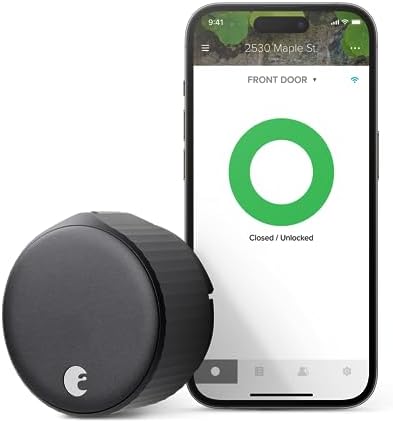
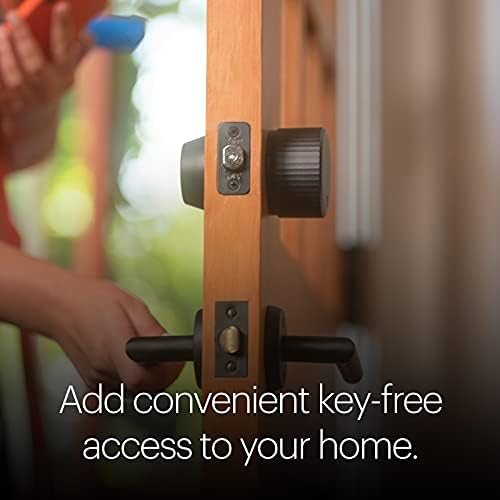
The August Wi-Fi Smart Lock installs over your existing deadbolt — the exterior looks unchanged and your original key still works. The Schlage Encode Plus is the best choice if your landlord allows standard deadbolt replacement.
Step 5: Security
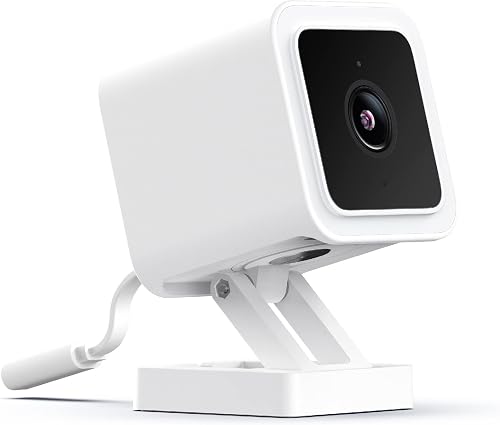
A battery-powered video doorbell and one indoor camera cover most needs. The Wyze Cam v3 ($30-$35) records to a local microSD card without a subscription.
Recommended Setup by Budget
Starter (~$150)
- Amazon Echo Dot
- 2x Kasa smart plugs
- 2x Philips Hue White bulbs
- Wyze Cam v3
Complete (~$400)
- Amazon Echo Dot or Google Nest Mini
- Philips Hue Starter Kit (2 bulbs + Bridge)
- 4x Kasa smart plugs
- August Wi-Fi Smart Lock
- Ring Video Doorbell (battery)
- Wyze Cam v3
What to Avoid
- Smart switches requiring neutral wire: Use smart bulbs or plugs instead.
- Hardwired video doorbells: Stick with battery-powered models.
- Smart thermostats needing C-wire: Check your system first.
Getting Everything to Work Together
Pick one voice assistant and buy devices that explicitly support that platform. For devices that work across all ecosystems, look for Matter-certified products.
FAQ
Do I need to tell my landlord?
For bulbs, plugs, and Wi-Fi cameras — usually no. For smart locks, check your lease.
Will devices move with me?
Yes — everything in a basic smart apartment setup is fully reversible.
What happens if internet goes out?
Local-control devices continue working. Smart bulbs respond to their physical switch. Some smart locks retain keypad access without internet.
Where to Buy





Affiliate links — we may earn a commission at no extra cost to you.


