Smart Home for Pet Owners: Monitor, Feed, and Care for Your Pets Remotely
Smart home devices for pet owners: pet cameras, automatic feeders, water fountains, smart doors, and climate monitoring. Setup guide with recommendations.
Where to Start: The Pet Camera
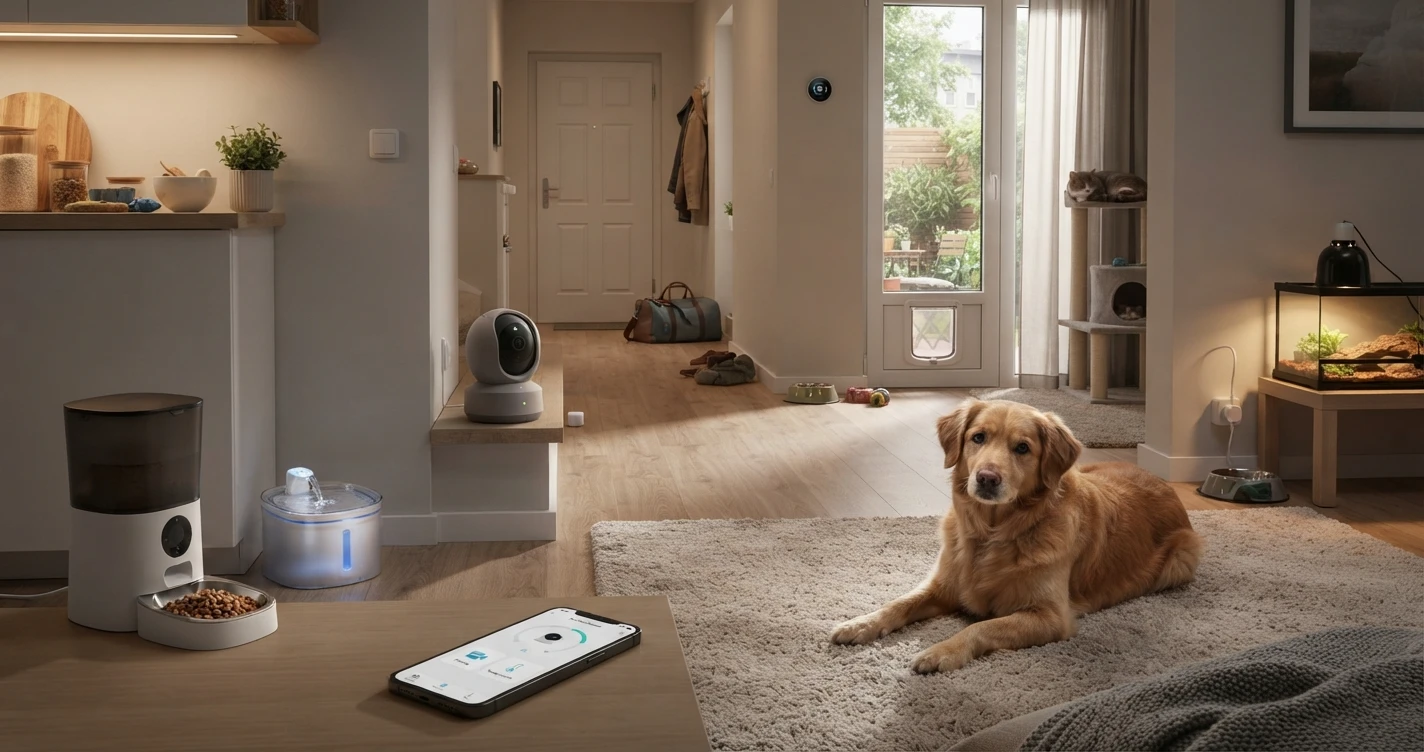
If you add only one device from this guide, make it a camera with two-way audio. The ability to see your pet and confirm they're okay removes the biggest source of worry when you're away. Everything else in this setup builds on that baseline of visibility.
Recommended Devices
Pet Camera — See What Your Pet Is Doing
Look for: two-way audio (you can speak to your pet), motion alerts, HD video, and pan/tilt to cover a full room. A treat dispenser is useful for dogs; most cats will ignore it.
Best Overall: Furbo 360° Dog Camera ~$120–$150
- 360° rotation via app, automatic motion tracking follows the pet
- Two-way audio with bark detection — the app notifies you when your dog barks
- Optional treat tossing (requires compatible treats — smaller, round kibble works best; check compatibility before buying)
- 1080p HD video
- Works with Alexa
- Check on Amazon
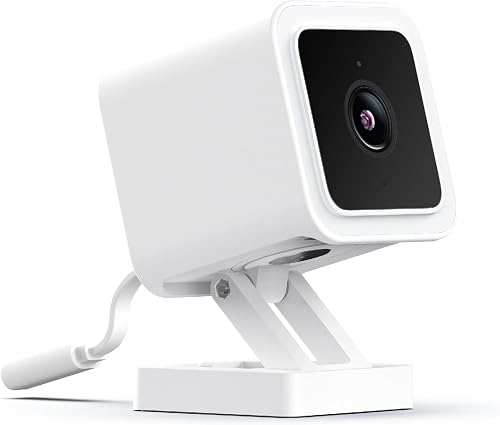
Best Budget Option: Wyze Cam Pan v3 ~$40
- Not pet-specific, but pan/tilt covers a full room and motion tracking follows movement automatically
- Two-way audio
- Color night vision
- Works with Alexa and Google Home
- Free 14-day event cloud storage or local microSD storage
- Check on Amazon
For Cats (smaller rooms, less movement needed):
Wyze Cam v3 ~$35 — fixed camera, simpler setup, two-way audio. Sufficient for a cat who tends to stay in one area.
Note on subscriptions: Pet-specific cameras like Furbo typically require a subscription for full features — confirm what's free vs. paywalled before purchasing. Standard security cameras used as pet cams (Wyze, Blink) often have more affordable or optional subscription structures.
Automatic Smart Feeder — Scheduled Feeding at Any Time
A smart feeder dispenses food on a set schedule or on demand from your phone. Your pet eats at consistent times even when you're late or traveling — and you can trigger an extra portion remotely if needed.
Best Overall: PetSafe Smart Feed Automatic Pet Feeder ~$150
- Wi-Fi connected, controlled via app
- Up to 12 meals per day with custom portion sizes
- Slow feed setting (dispenses in smaller portions to prevent gulping)
- Works with Alexa for voice-triggered feedings
- Compatible with dry kibble — verify your kibble size fits the dispenser opening before purchasing
- Check on Amazon
Budget Option: PETLIBRO Granary Automatic Feeder ~$50–$70
- Wi-Fi, app-controlled, scheduled feedings
- 5L capacity — suits cats and small-to-medium dogs
- Built-in microphone and speaker for two-way communication at feeding time
- Check on Amazon
Important: Most automatic feeders work with dry kibble only. Wet food cannot be left in a gravity or automatic feeder — it spoils quickly. Verify your pet's kibble shape and size is compatible with the dispenser mechanism before purchasing.
Smart Water Fountain — Fresh Water with Low-Level Alerts
A circulating water fountain keeps water oxygenated and fresh, which encourages pets to drink more. Smart versions send a notification when the water level is low or when the filter needs replacing — so you're not guessing when you're away.
Recommended: PETLIBRO Capsule Smart Pet Water Fountain ~$50–$70
- Wi-Fi connected, app notifications for low water level and filter status
- 2L capacity (suitable for 1–2 cats or a small dog)
- Silent pump
- Check on Amazon
Alternative: Catit PIXI Smart Fountain ~$60–$80
- Works with the Catit app, water level monitoring
- Triple filtration
- Check on Amazon
Smart Thermostat — Keep the House at a Safe Temperature
Pets are sensitive to temperature extremes. A smart thermostat lets you maintain a safe temperature range from your phone — and alerts you if the home gets too hot or too cold (important if the HVAC fails while you're away).
Best for Pet Owners: Ecobee SmartThermostat Premium ~$220
- Temperature range alerts — notifies you if the home drops below or rises above a set temperature
- Remote room sensors available (monitors temperature in the room where pets spend time, not just at the thermostat)
- Works with Alexa, Google Home, Apple Home, and SmartThings
- Check on Amazon
Alternative: Google Nest Learning Thermostat ~$280
- Home/Away assist based on phone location (adjusts automatically when you leave and return)
- Temperature history visible in app
- Check on Amazon
Microchip Pet Door — Independent Access for Your Pet
A microchip-activated pet door reads your pet's existing microchip and allows only registered animals through — keeping raccoons, stray cats, and other wildlife out while giving your pet freedom to go in and out on their own schedule.
Recommended: SureFlap Microchip Pet Door Connect ~$170–$200
- Reads the pet's existing microchip — no additional collar tag needed
- App notifications when your pet goes in or out
- Curfew mode (automatically locks at set times — keeps cats indoors at night)
- Designed for cats and small dogs
- Check on Amazon
Important: Installation requires cutting a hole in a door or wall panel. Not suitable for renters without landlord permission. Verify your pet's microchip frequency is compatible before purchasing — most are, but it's worth confirming.
Smart Plug — Add Scheduling to Non-Smart Pet Devices
A smart plug adds on/off scheduling and remote control to any device plugged into it — useful for pet heating pads (timed for cold weather), reptile or fish tank lighting, and aquarium pumps.
Recommended: Kasa Smart Plug Mini (EP25) ~$10–$15
- Schedule on/off times from the app
- Remote control from anywhere
- Works with Alexa and Google Home
- Check on Amazon
Safety note: Only use pet-specific heating pads designed to be left unattended — ones with built-in automatic temperature limits. Do not use standard electric heating pads with a smart plug as the sole safety control. A smart plug adds a useful time limit but does not replace using the correct type of product.
Pet Owner Automations
- Feeding confirmation: Smart feeder sends a notification at scheduled meal times — confirms dispensing happened and lets you trigger an extra portion remotely if needed.
- Motion check: Camera motion alert during the day → quick check that the pet is active and behaving normally.
- Temperature alert: Thermostat notifies you if the home exceeds 80°F or drops below 55°F — two temperature ranges worth setting regardless of season.
- Pet door curfew: Smart door locks at 9pm, unlocks at 7am — keeps outdoor-access cats inside overnight.
- Pre-arrival comfort: 30 minutes before typical arrival time → thermostat adjusts to comfortable temperature, living room lights turn on.
- Aquarium or terrarium lighting: Smart plug turns tank lights on at 8am and off at 10pm — consistent light cycle for fish, reptiles, or amphibians without manual control.
Complete Pet Owner Setup
| Device | Purpose | ~Price |
|---|---|---|
| Wyze Cam Pan v3 or Furbo 360° | Pet monitoring with two-way audio | ~$40–$150 |
| PETLIBRO Automatic Feeder | Scheduled feeding | ~$60–$150 |
| PETLIBRO Smart Water Fountain | Fresh water + low-level alerts | ~$60 |
| Ecobee SmartThermostat | Temperature control + safety alerts | ~$220 |
| Kasa Smart Plug ×2 | Heating pad timer, aquarium/terrarium light | ~$25 |
| Total | ~$405–$605 |
Start with the camera and feeder if budget is a constraint — those two address the most immediate concerns for most pet owners. Add the thermostat and water fountain as a second step.
Frequently Asked Questions
Do pet cameras require a subscription?
Most pet-specific cameras like Furbo require a paid subscription for full features — including cloud video storage, bark alerts, and some motion features. Standard security cameras used as pet cams (Wyze, Blink) typically have more affordable or optional subscription plans. Confirm what works without a subscription before purchasing.
Can smart feeders work if Wi-Fi goes down?
Most continue dispensing on their last saved schedule even if the Wi-Fi connection drops. You lose app control and notifications until connectivity is restored, but feeding continues. Check the specific product's offline behavior before purchasing — this detail matters if your home Wi-Fi is unreliable.
Is it safe to leave a heating pad running for a pet?
Only use pet-specific heating pads designed to be left unattended — products rated for continuous use with built-in temperature limits. Do not use standard electric heating pads, which can overheat and cause burns or fire. A smart plug can provide an additional time limit but does not substitute for choosing the right type of product from the start.
What's the best setup for someone who travels frequently?
For frequent travelers: prioritize the smart feeder (with enough capacity for the trip), the smart thermostat with temperature alerts, and a reliable camera. Consider a pet sitter who can handle water and any issues a smart device can't resolve — smart home devices supplement care, they don't replace it for extended absences.
Related Guides
Where to Buy


Affiliate links — we may earn a commission at no extra cost to you.