
Best Smart Locks (2026): Top Picks for Every Home
Our top picks across reliability, Apple ecosystem, renter-friendly installation, fingerprint access and Matter compatibility.
The best smart locks of 2026 — Schlage, Yale, August, Kwikset and Aqara compared by price, ecosystem compatibility and installation type.
A smart lock makes it possible to lock and unlock your door remotely, share temporary access with guests, check whether you left the door open and set up automations that respond to who is home. They range from simple retrofit adapters that fit inside your door without replacing anything on the exterior, to full deadbolt replacements with built-in keypads, fingerprint readers and Wi-Fi connectivity.
This guide covers the best smart locks across five priorities: overall reliability, Apple ecosystem integration, renter-friendly installation, fingerprint access and Matter compatibility.
Quick Comparison
| Lock | Price | Connectivity | Alexa | Apple Home | Matter | Best For | |
|---|---|---|---|---|---|---|---|
| Schlage Encode Plus | ~$250 | Wi-Fi built-in | ✓ | ✓ | ✓ | ✗ | Overall reliability & Apple |
| Yale Assure Lock 2 | ~$200–$310 | Wi-Fi + Bluetooth | ✓ | ✓ | ✓ Home Key | ✗ | Apple Home Key users |
| August Wi-Fi Smart Lock | ~$150 | Wi-Fi built-in | ✓ | ✓ | ✓ | ✗ | Renters |
| Kwikset Halo Touch | ~$240 | Wi-Fi built-in | ✓ | ✓ | ✗ | ✗ | Fingerprint access |
| Aqara Smart Lock U200 | ~$170 | Thread + Bluetooth | ✓ | ✓ | ✓ Home Key | ✓ | Best value & Matter |
Compatibility data sourced from official manufacturer and ecosystem documentation. Verify before purchasing as support can change.
1. Schlage Encode Plus — Best Overall
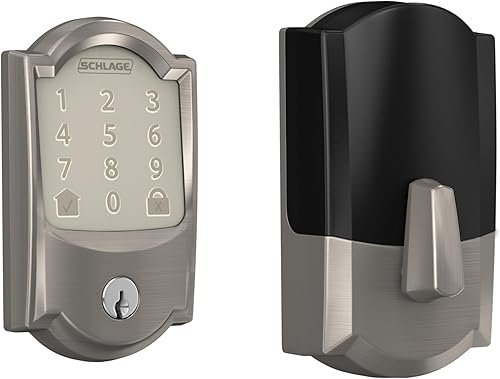
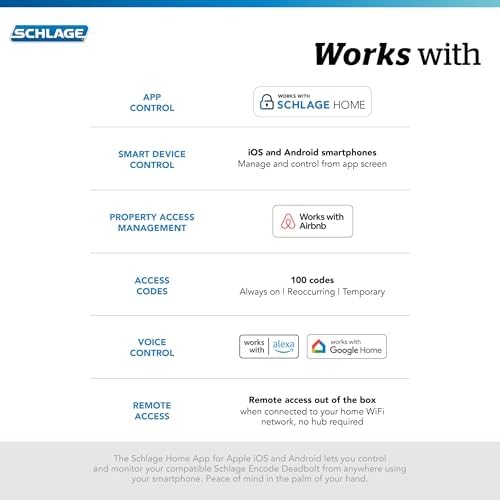
The Schlage Encode Plus is a full deadbolt replacement with a built-in touchscreen keypad and Wi-Fi. There is no hub or bridge required — you connect it directly to your home Wi-Fi and control it through the Schlage Home app.
It supports Apple HomeKit, Amazon Alexa and Google Home. It does not support Matter — Schlage has confirmed this officially. But for most people who are not specifically building a Matter-based setup, that will not matter in practice.
The Encode Plus carries a Grade 1 ANSI/BHMA security rating, which is the highest available for residential deadbolts. It supports up to 100 access codes and logs all activity. You can also unlock it with an Apple Watch tap if you have HomeKit configured.
Where it stands out is the combination of physical security, no-hub Wi-Fi and broad compatibility. The touchscreen keypad is well-designed and the build quality is noticeably better than cheaper alternatives.
- Works with: Alexa, Google Home, Apple HomeKit (confirmed by Schlage)
- Does not work with: Matter (confirmed by Schlage)
- Installation: Full deadbolt replacement — replaces your existing lock entirely
- Hub required: No
- Access codes: Up to 100
- Security rating: Grade 1 ANSI/BHMA
Schlage Encode Plus is best for: homeowners who want a reliable, secure lock with built-in Wi-Fi and broad smart home compatibility — especially Apple HomeKit users who want keypad access without needing a hub.
Not the best choice if: you are a renter who cannot replace the deadbolt, or if you specifically need Matter support.
2. Yale Assure Lock 2 — Best for Apple Users
The Yale Assure Lock 2 is the strongest choice for Apple users specifically. It supports Apple Home Key, which lets you tap your iPhone or Apple Watch against the lock to unlock it — no app or interaction required beyond the tap itself. It also works with Express Mode, which can unlock automatically as you approach without any interaction at all.
The lock requires an Apple Home hub (a HomePod or Apple TV) to share Home Key access with multiple people or use remote features through HomeKit. For a single user, it can work with Bluetooth only, but most people will want the Wi-Fi model for remote access.
The Assure Lock 2 comes in several variants at different price points. The Bluetooth-only model with keypad is the most affordable. The Wi-Fi + Apple Home Key model costs more but delivers the full experience. It also works with Alexa, Google Home and Samsung SmartThings.
- Works with: Alexa, Google Home, Apple HomeKit with Home Key, Samsung SmartThings (confirmed by Yale)
- Does not work with: Matter (confirmed by Yale)
- Installation: Full deadbolt replacement
- Hub required: Apple Home hub needed for Home Key sharing and remote access
- Battery: 4 AA batteries; auto-lock and DoorSense included
Yale Assure Lock 2 is best for: Apple users who want Home Key (tap-to-unlock with iPhone or Apple Watch) and full HomeKit integration.
Not the best choice if: you use Android, you do not want to replace the deadbolt, or you need Matter support.
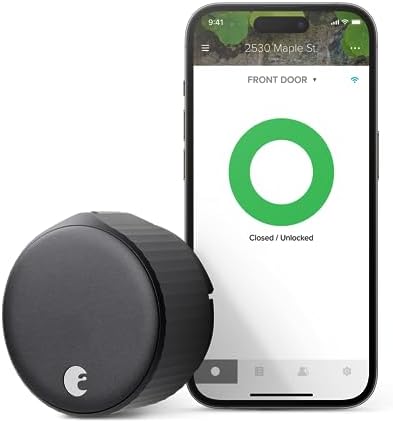
3. August Wi-Fi Smart Lock — Best for Renters
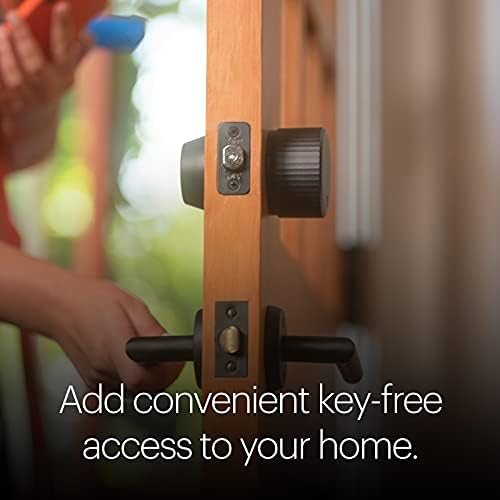
The August Wi-Fi Smart Lock is the best option if you rent and cannot replace the existing deadbolt. It fits over the interior thumb turn of your existing lock — the exterior of your door does not change at all, which means you keep your existing keys and landlords generally cannot tell the difference.
Setup takes under 30 minutes and requires only a screwdriver. The built-in Wi-Fi means remote access without a hub or bridge. It supports Alexa, Google Assistant and Apple HomeKit.
The main limitation is that there is no built-in keypad — you unlock it via the app, auto-unlock (geofencing) or voice. A keypad is available separately as an add-on. Battery life is roughly 3 months on two CR123 batteries.
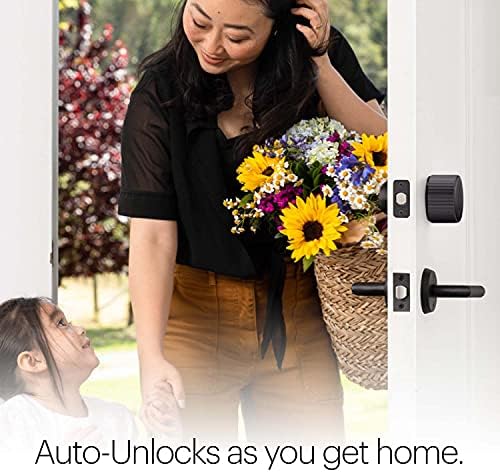
Auto-lock and auto-unlock work reliably. The geofencing detects when you leave and locks the door, and unlocks when you return. Guest access with expiration dates is available through the August app.
- Works with: Alexa, Google Assistant, Apple HomeKit (confirmed by August/Assa Abloy)
- Does not work with: Matter
- Installation: Retrofit — fits over existing interior thumb turn, no exterior change
- Hub required: No (built-in Wi-Fi)
- Keypad: Not included — sold separately
- Battery: ~3 months on 2x CR123
August Wi-Fi is best for: renters who cannot replace the deadbolt, or anyone who wants to keep their existing keys and locks while adding smart features.
Not the best choice if: you need a keypad (add cost), need Apple Home Key, or want Matter support.
4. Kwikset Halo Touch — Best Fingerprint Lock
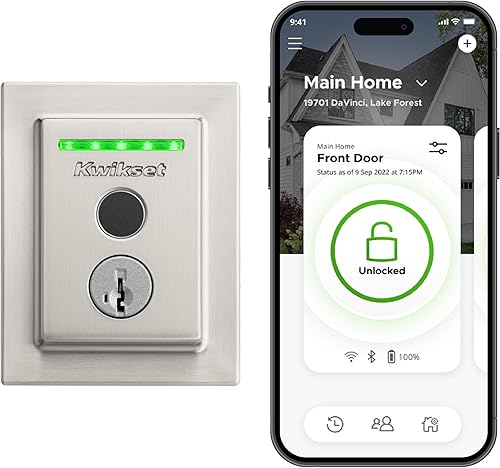
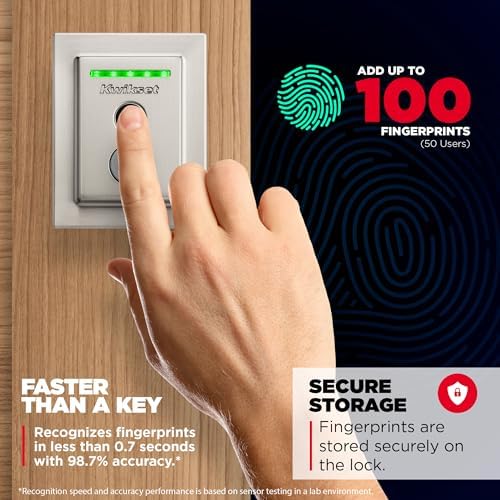
The Kwikset Halo Touch replaces your existing deadbolt and adds a fingerprint sensor to the exterior keypad. It stores up to 50 user profiles with 2 fingerprints each, meaning up to 100 fingerprints total. The sensor reads in under a second according to Kwikset's specifications.
Built-in Wi-Fi provides remote access without a hub. It works with Amazon Alexa and Google Assistant. It does not support Apple HomeKit — this is the key limitation for Apple users. Matter support is not confirmed.
It holds a Grade AAA certification from BHMA, which is their highest security rating. The app allows setting time-based access restrictions for specific fingerprints. Guest access requires them to be present in person for fingerprint enrollment — you cannot set it up remotely.
- Works with: Alexa, Google Assistant (confirmed by Kwikset)
- Does not work with: Apple HomeKit, Matter
- Installation: Full deadbolt replacement
- Hub required: No (built-in Wi-Fi)
- Fingerprints: Up to 100 (50 users × 2 each)
- Security rating: Grade AAA BHMA
Kwikset Halo Touch is best for: households that want fingerprint access — families with multiple people, or anyone who regularly loses keys or forgets codes.
Not the best choice if: you use Apple HomeKit, need remote guest setup, or want Matter support.
5. Aqara Smart Lock U200 — Best Value with Matter
The Aqara Smart Lock U200 is the only lock in this guide that supports Matter. It connects via Thread and Bluetooth, and requires the Aqara M3 Hub to use Matter functionality. Once connected, it works with Apple HomeKit, Google Home, Amazon Alexa and Samsung SmartThings through a single Matter connection.
It also supports Apple Home Key — the same tap-to-unlock experience as the Yale Assure Lock 2 — at a significantly lower price. The lock includes a fingerprint reader and keypad and uses a rechargeable Li-Ion battery with up to 6 months of life between charges (according to Aqara's specifications). Charging is via USB-C.
The main caveats: it requires the Aqara M3 Hub for full Matter functionality (the hub is sold separately, currently around $50). Without the hub, you can still use it via Bluetooth and the Aqara app. The fit for US doors depends on your existing door preparation — check compatibility before purchasing.
- Works with: Apple HomeKit with Home Key, Google Home, Alexa, SmartThings — via Matter (confirmed by Aqara)
- Matter: Yes — over Thread (requires Aqara M3 Hub)
- Installation: Retrofit for Euro cylinder, also compatible with US deadbolt backsets
- Hub required: Aqara M3 Hub for Matter/Thread; works via Bluetooth without hub
- Fingerprints + keypad: Yes — included
- Battery: Rechargeable Li-Ion, up to 6 months, USB-C charging
Aqara U200 is best for: users who want Matter compatibility and Apple Home Key at the best price, and are willing to add the Aqara M3 Hub.
Not the best choice if: you need plug-and-play setup with no extra hardware, or your door is not compatible with the U200's cylinder format.
How to Choose a Smart Lock
Decide your ecosystem first
The most important decision is which smart home ecosystem you use. Apple HomeKit users will want the Schlage Encode Plus, Yale Assure Lock 2 or Aqara U200. Google Home and Alexa users have more options. If you are building a Matter-based setup, only the Aqara U200 qualifies from this list.
Replacement vs retrofit
Full deadbolt replacements (Schlage, Yale, Kwikset, Aqara) provide a more integrated look and often include a keypad or fingerprint reader on the exterior. They require physically replacing the deadbolt, which renters typically cannot do.
Retrofit locks (August) fit over the interior thumb turn. The exterior of the door is unchanged, you keep your existing keys, and installation is much simpler. The tradeoff is no built-in exterior keypad unless you add one separately.
Do you need a keypad?
If guests, family members or contractors need access without using an app, you want a lock with a built-in keypad. The Schlage Encode Plus, Yale Assure Lock 2, Kwikset Halo Touch and Aqara U200 all include keypads. The August Wi-Fi Smart Lock does not — a keypad is an optional add-on.
Does this lock need a subscription?
None of the locks in this guide require a paid subscription for basic features. Remote access, auto-lock, guest codes and activity history all work without a monthly fee. Some locks (including August) offer optional premium subscriptions for additional features like longer activity history, but they are not required.
What connectivity do you need?
Wi-Fi (built-in): Schlage Encode Plus, August Wi-Fi, Kwikset Halo Touch — remote access without any hub. These connect directly to your router.
Wi-Fi + Bluetooth: Yale Assure Lock 2 — connects via Wi-Fi for remote access; Bluetooth for local, near-door control and auto-unlock.
Thread + Bluetooth: Aqara U200 — Thread provides the low-power, reliable connection for Matter; requires the Aqara M3 Hub to act as the Thread border router.
What about security ratings?
The ANSI/BHMA rating system grades deadbolts on resistance to forced entry, durability and operational cycles. Grade 1 is the highest residential rating (Schlage Encode Plus). Grade AAA is BHMA's equivalent top rating (Kwikset Halo Touch). Yale and Aqara are rated Grade 2 / equivalent, which is still appropriate for most homes.
Frequently Asked Questions
Can a smart lock be hacked?
Smart locks use encrypted communication (typically AES-128 or AES-256 depending on the model). Physical forced entry is a more realistic risk than remote hacking for the models in this guide. Choosing a lock with a high ANSI/BHMA security rating addresses the physical side. Keeping firmware updated addresses the software side.
What happens if the Wi-Fi goes down?
If your Wi-Fi goes down, remote access and app control stop working. However, the lock still works locally — you can still use a keypad code, fingerprint or physical key. Auto-lock and auto-unlock via Bluetooth may continue to function depending on the model.
What happens when the battery dies?
All locks in this guide provide low-battery warnings in the app before the battery runs out. If the battery does die completely, most models have an emergency 9V battery terminal on the exterior — touching a 9V battery to the terminal provides enough power to unlock once. Physical keys work as a backup on all models that include them.
Do smart locks work with apartment buildings?
Smart locks only work on deadbolts you control individually — they cannot replace common entrance locks controlled by building management. Inside your apartment, retrofit locks like the August Wi-Fi are typically the best option since they require no exterior changes. Always check with your landlord before installing any lock.
What is Matter and do I need it?
Matter is an interoperability standard that lets smart home devices work across different ecosystems — Apple Home, Google Home, Alexa and SmartThings — from a single connection. Of the locks in this guide, only the Aqara U200 supports Matter. If you use only one ecosystem, or if your existing lock works well, you do not need Matter. If you want to switch ecosystems in the future without replacing your lock, Matter makes that easier.
Can I use a smart lock if I rent?
Yes — the August Wi-Fi Smart Lock is specifically designed for renters. It fits over the interior thumb turn of your existing lock without replacing anything visible from outside. You keep your existing keys, and landlords typically cannot tell the difference. Always confirm with your landlord or building management before installing any smart lock.
Where to Buy












Affiliate links — we may earn a commission at no extra cost to you.
Related Articles

More in this topic
- EXPLAINER How Smart Locks Work: The Complete Explainer
- Best Smart Locks Without a Subscription (2024)
- HOW TO How to Choose a Smart Lock: The Complete Buying Guide
- PRODUCT REVIEW Schlage Encode Plus Review: The Best Smart Lock for Apple HomeKit Users?
- COMPARISON August vs Schlage Smart Lock: Which Is Right for Your Home?
- Best Smart Locks for Renters (2026): No-Drill, No Landlord Permission Needed
- Best Smart Locks for Apple Home (HomeKit) in 2026