Best Smart Home Hubs for Beginners
Which hub or bridge you actually need
Do you need a smart home hub? Compare Echo, Nest Hub, HomePod, Philips Hue Bridge, Aqara Hub M3 and SmartThings, and learn how to choose.
Quick answer: Most beginners do not need a separate hub. Start with the speaker or display for your ecosystem (Echo, Nest Hub or HomePod), which also acts as a Matter controller. Add a brand bridge such as the Philips Hue Bridge or Aqara Hub M3 only when you buy devices that need one.
Specifications checked against manufacturer pages on 23 October 2026. We have not physically tested these products; this guide is based on manufacturer documentation.
Do you need a smart home hub?
Wi-Fi devices connect to your router and work with an app and your voice assistant without any hub. A hub or bridge is needed for devices that use other radios, such as Zigbee sensors, or when you want a single place to run automations. Choose the hub after you choose the devices, not before.
Hubs and bridges compared
| Hub | Best for | What the manufacturer documents |
|---|---|---|
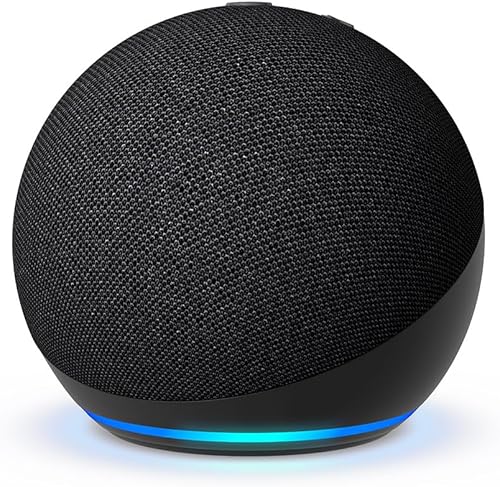
| Amazon Echo Dot (5th gen) | Alexa households | Alexa device and Matter controller; Amazon does not list a Thread border router |
| Google Nest Hub (2nd gen) | Google Home households | Matter hub for Google Home over Wi-Fi and Thread, with a built-in Thread border router |
| Apple HomePod (2nd gen) | Apple Home households | Becomes a home hub automatically; needed for Matter accessories and Thread devices in Apple Home |
| Philips Hue Bridge | Hue lights and sensors | Enable Matter in the Hue app to link to Apple Home, Google Home or Alexa |
| Aqara Hub M3 | Aqara Zigbee sensors and Matter | Zigbee hub with Matter bridge functionality; works with Alexa, Google and Apple controllers through Matter |
| Samsung SmartThings Hub | Advanced automations | Integrates with Alexa and Google Home through the SmartThings app; Apple Home is not listed |
How to choose
- Pick your ecosystem first. If you use an iPhone, a HomePod is the hub. If you use Alexa, an Echo. If you use Google, a Nest Hub.
- Check each device. Look up what you plan to buy in our compatibility checker to see whether it needs a hub.
- Add a bridge only when required. For example, Philips Hue sensors and Aqara sensors need their own bridge or hub.
- Prefer Matter. Matter devices work across Alexa, Google and Apple controllers. See what is Matter.
Common mistakes
- Buying a Zigbee device with no hub to connect it to.
- Assuming a speaker is a Thread hub. Check that the manufacturer lists a Thread border router.
- Buying two competing hubs when one ecosystem would do.
Not sure where to start? Read smart home for beginners and Zigbee vs Z-Wave.
FAQ
What is the best smart home hub for a complete beginner?
A speaker or display from the ecosystem you already use. It doubles as a hub and keeps setup simple.
Can one hub run Alexa, Google and Apple devices?
Matter makes this easier, but each ecosystem still needs its own controller for its own app. A Matter bridge hub such as the Aqara Hub M3 can expose its devices to several controllers.
Sources
Where to Buy



Affiliate links — we may earn a commission at no extra cost to you.
Related Articles
More in this topic
- Best Smart Home Sensors: Door, Window and Motion
- Best Smart Devices for Saving Energy
- Best Smart Home Security Devices
- Best Smart Devices for Home Comfort
- Best Smart Devices for Home Automation
- Best Smart Lighting Devices
- Best Smart Cleaning Devices
- Best Smart Entertainment Devices
- Best Smart Home Monitoring Devices